
A Bluetooth Tag per driver stops the wrong person starting a machine. The portal is where you find out what the right people actually did with it.
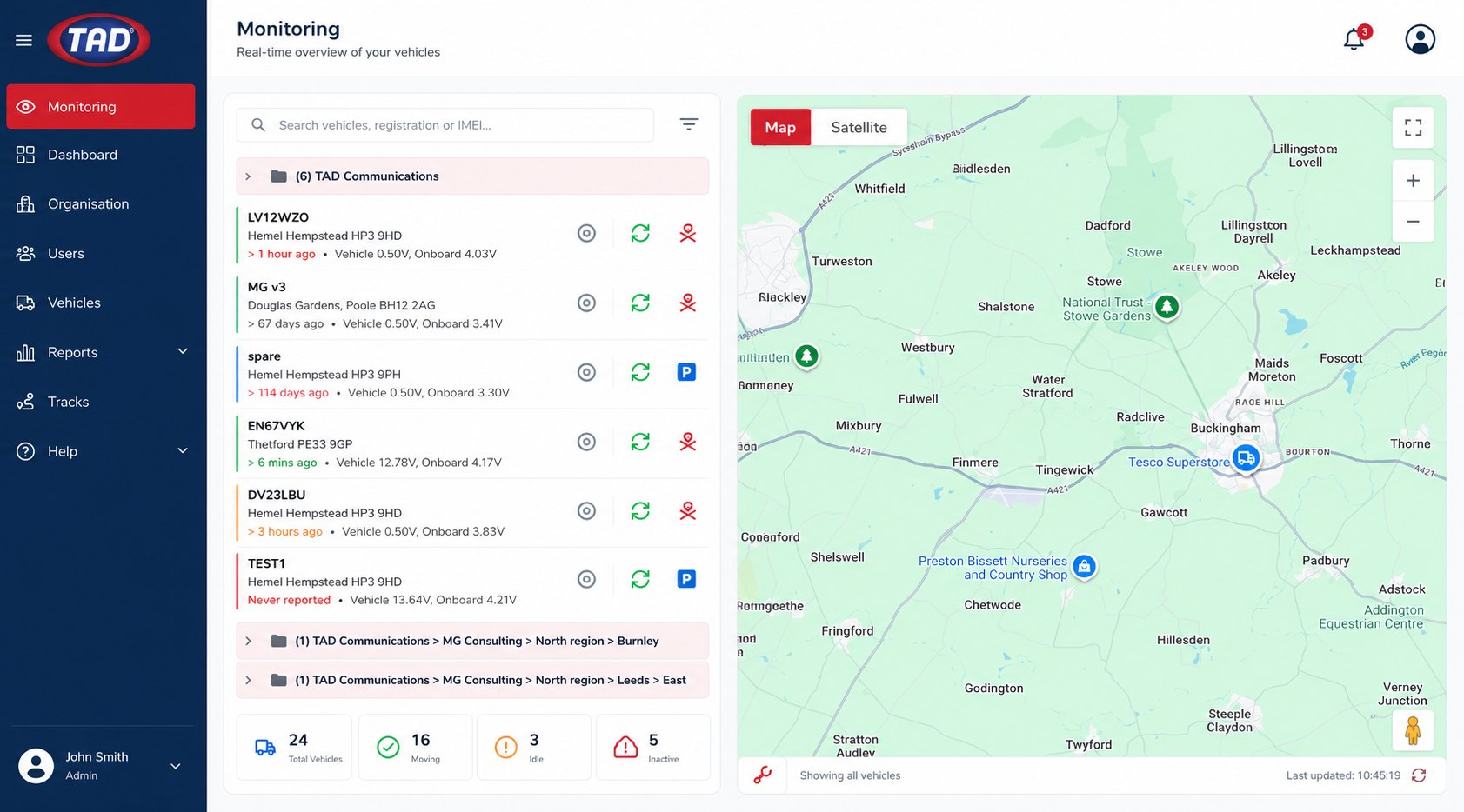
Six areas do most of the work. Pick one — the screen and the notes change together. Click any screenshot to see it full size.
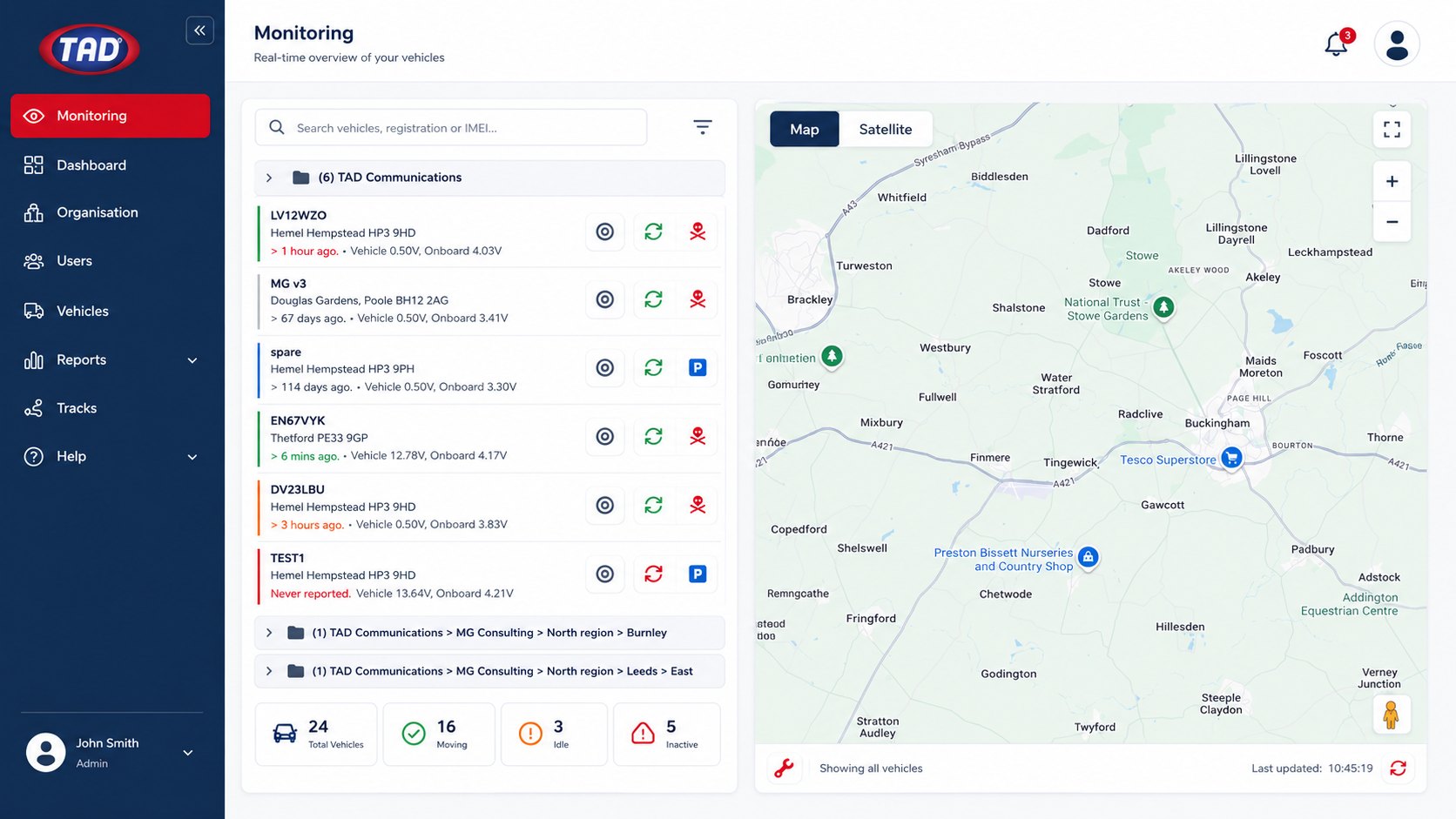
The screen most managers leave open. Company bases run down the left, each vehicle under the branch it belongs to, with the live map alongside.
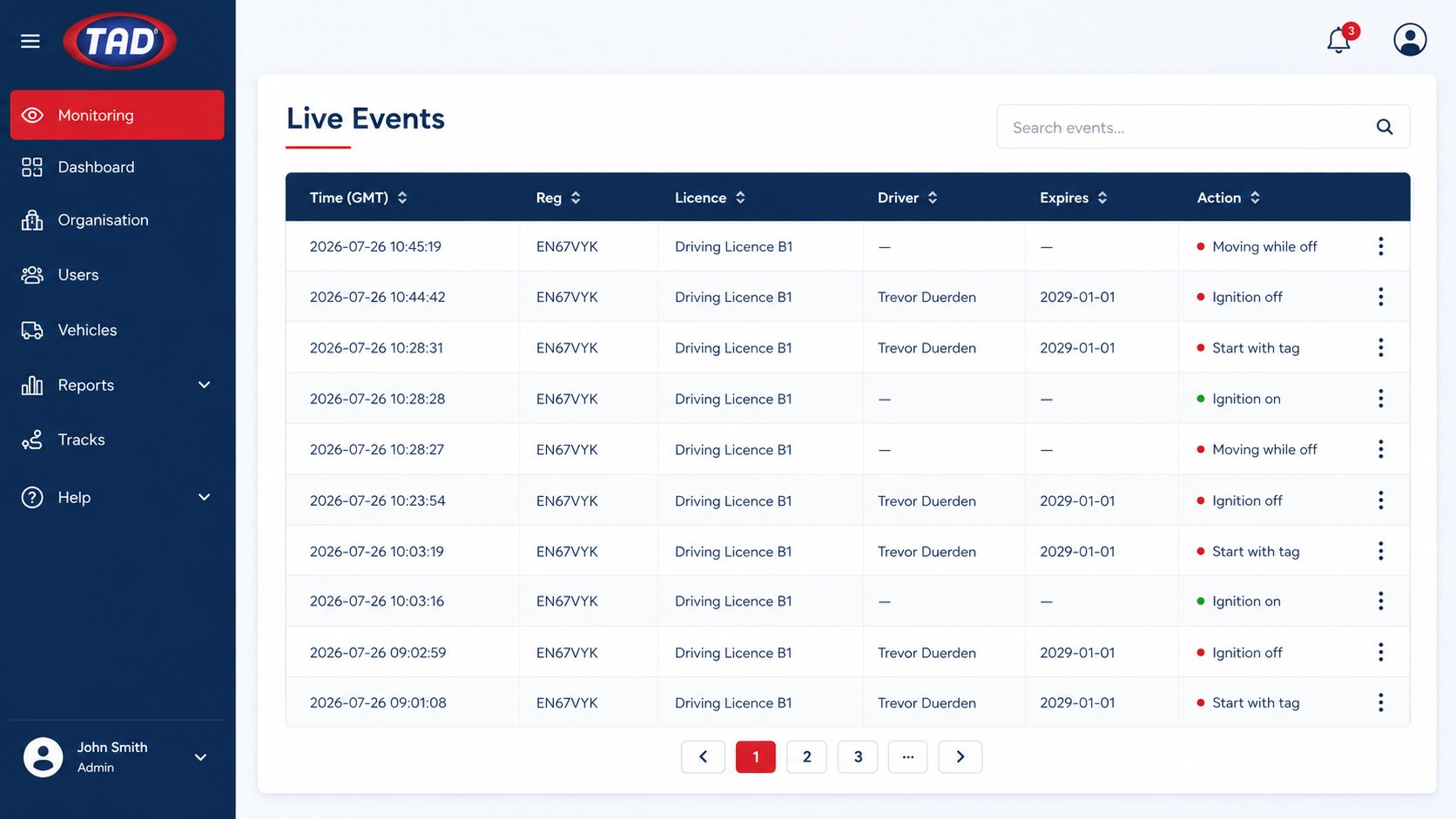
The running record of what every machine has done. It refreshes every few minutes and nobody has to remember to fill it in.
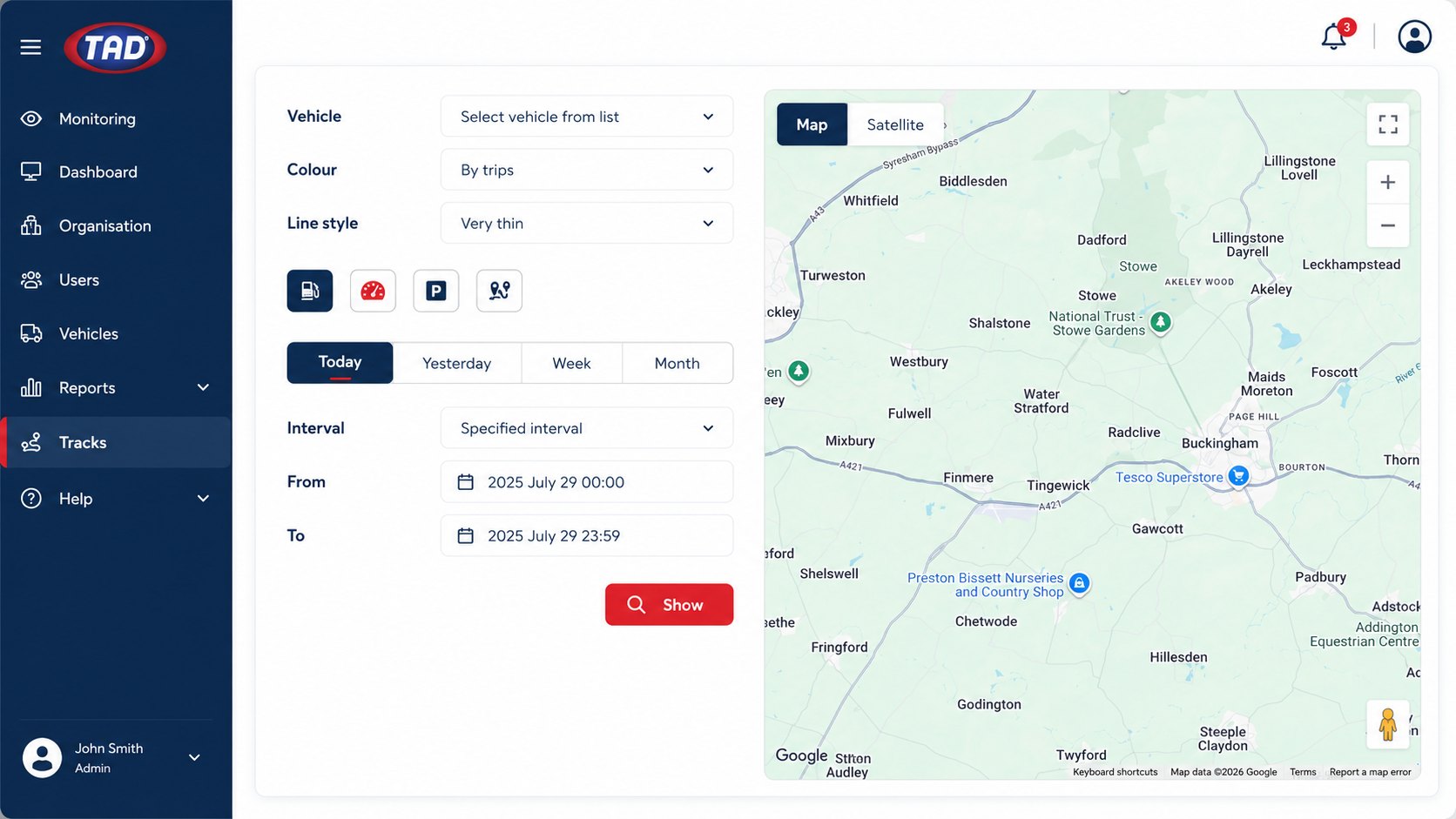
Pick a vehicle and a window — today, yesterday, this week, this month, or an interval down to the minute — and the route draws itself.
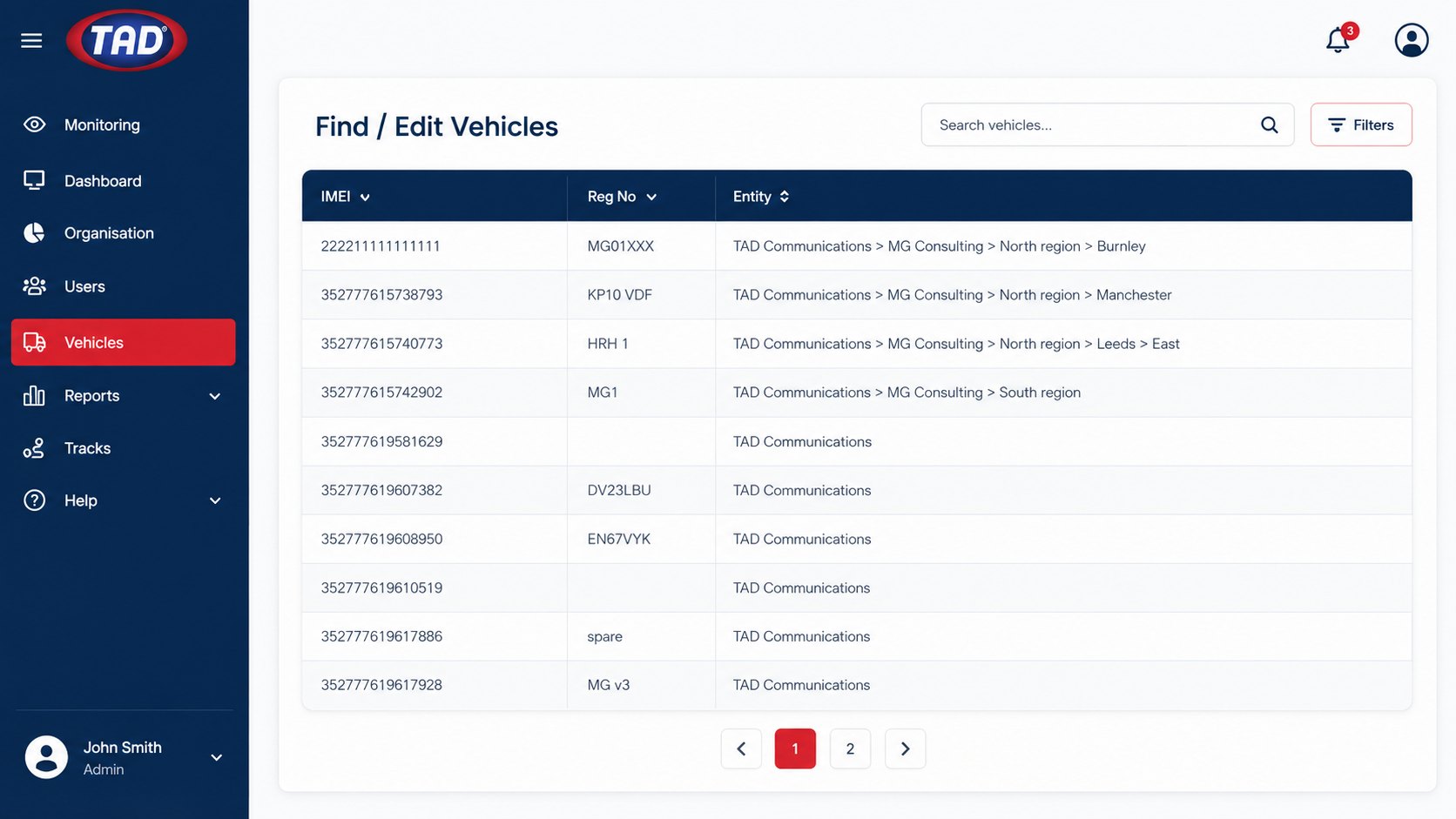
Every unit listed by IMEI, registration and entity, so a machine is always tied to the branch actually running it.
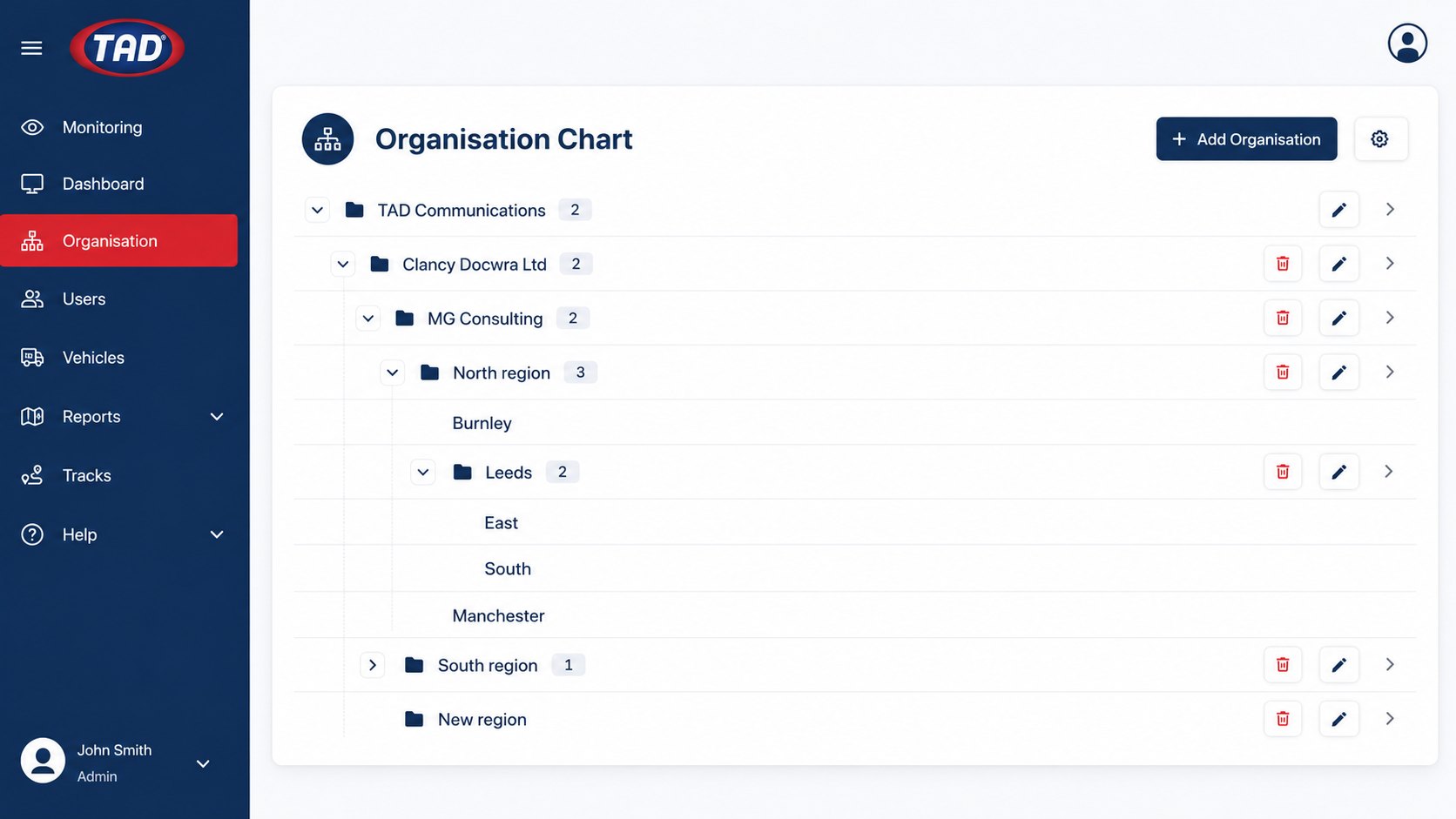
Real businesses are not flat, and neither is the tree. Companies, subsidiaries, regions, depots and sites nest as deep as you need.
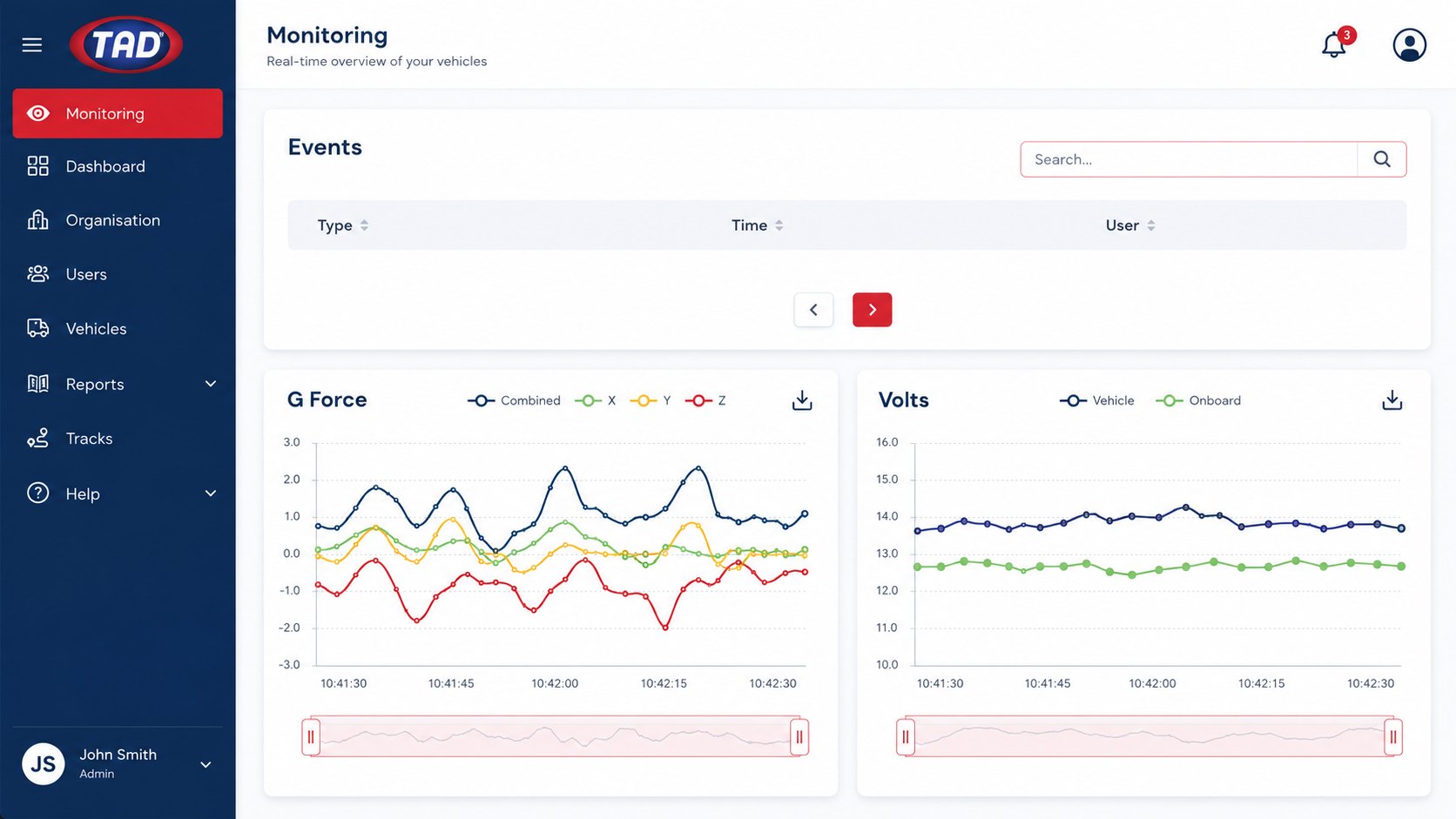
G-force across all three axes, plus voltage on both the vehicle supply and the onboard battery.
Set on each user by your own administrator, so a site foreman is not handed the keys to the group.
Reserved for TAD personnel only. Never assigned to customer accounts.
Company administrator. Adds and edits users, sets access levels and entities, manages driver training records and expiry dates. Every change made here is pushed out to the units automatically.
Access to drivers — day-to-day supervision without the ability to restructure the account.
Viewing rights only. Can see the data, cannot change it.
No portal access at all. Carries a tag and operates machines; their activity appears in everybody else's reports.
For the time being, new companies and operatives are added by TAD personnel — so you are not left working out account structure on your own. After that your administrator manages users, licences and entities directly. The full step-by-step is on the how it works page.
Access control is the headline. The reporting is what tends to pay for the system.
Usage hours show which machines are earning and which are sitting. One customer took monthly machinery hire from £25,000 to under £10,000 by redeploying assets they could finally see.
Plan intervals against hours actually worked rather than a date in a diary. Maintenance gets booked in advance instead of in a panic.
Labour, machinery and materials are the three big site costs. Utilisation reporting gives you a defensible number for two of them.
Licences, training and expiry dates sit against the operator, ride down to the unit on the machine, and every grant or denial is logged. When somebody asks who was authorised, you answer from the system.
Running hours and journey data feed carbon footprint calculations using approved algorithms — increasingly something contractors ask for.
The portal only fills up once there is an i-am on the machine, and getting there is usually the part people worry about. It does not mean sending your fleet to Hertfordshire.
Around half of all our vehicle fit-out is carried out at customers’ premises. We work through a yard a few vehicles at a time, so the ones still earning stay where they are. Where a particular job calls for it, we bring in specialised sub-contractors we have worked with for years — and the job stays ours to manage either way.
Talk to us about a rollout across your sites.
A demo beats a screenshot. Tell us what you run — machines, sites, how many operators — and we will show you the screens that would matter to you.


